Galaxy Buds Bluetooth sockets can be accessed by only one application at a time. Do not run other Galaxy Buds companion or monitoring apps while using BudsLink, such as:
Galaxy Buds Client
Bluetooth Battery Meter GNOME Extension (disable the Galaxy Buds feature in the extension preferences)
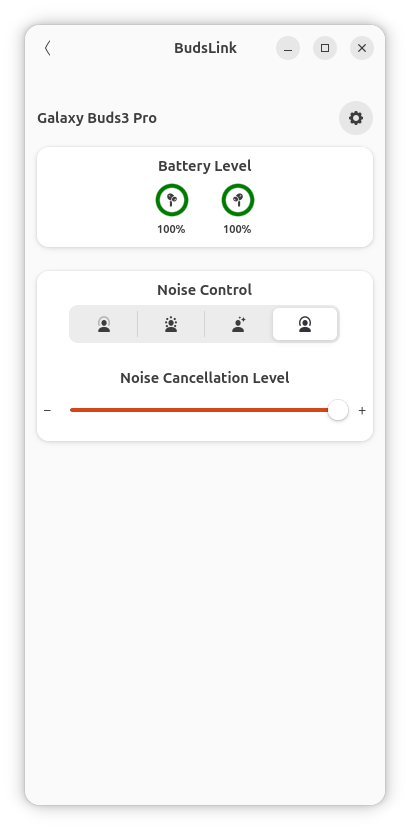
Displays a circular battery widget, supporting either a single battery (headset) or three separate levels for Left, Right, and Case.
The case battery is shown only when the Galaxy Buds report it, usually when the case is charging or when at least one Galaxy Bud is inside.
Only certain Galaxy Buds models support ANC mode.
Some models also support Conversation Mode.
Button Visibility
The ANC option (if supported) is only shown when one or both earbuds are in the ears.
The Conversation Mode (if supported) option is only shown when both earbuds are in the ears.
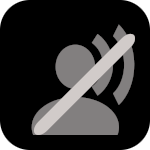
Icons:
Anti-Noise Cancellation (ANC)
Anti-Noise Cancellation Off
Anti-Noise Cancellation On
Transperancy
Adaptive
Conversation Awareness
Conversation Awareness On
Conversation Awareness Off
Features
App can detect Samsung Galaxy Buds devices among connected Bluetooth devices.
It communicates over RFCOMM sockets to support features such as:
Battery level reporting
In-ear detection for automatic pause/play of media
Control of ANC (Active Noise Cancellation) mode (if supported)
Conversation Awareness mode (if supported)
Adaptive noise level customization (if supported)
Configure Stem/Touch Equalizer etc.
Configuration by Device
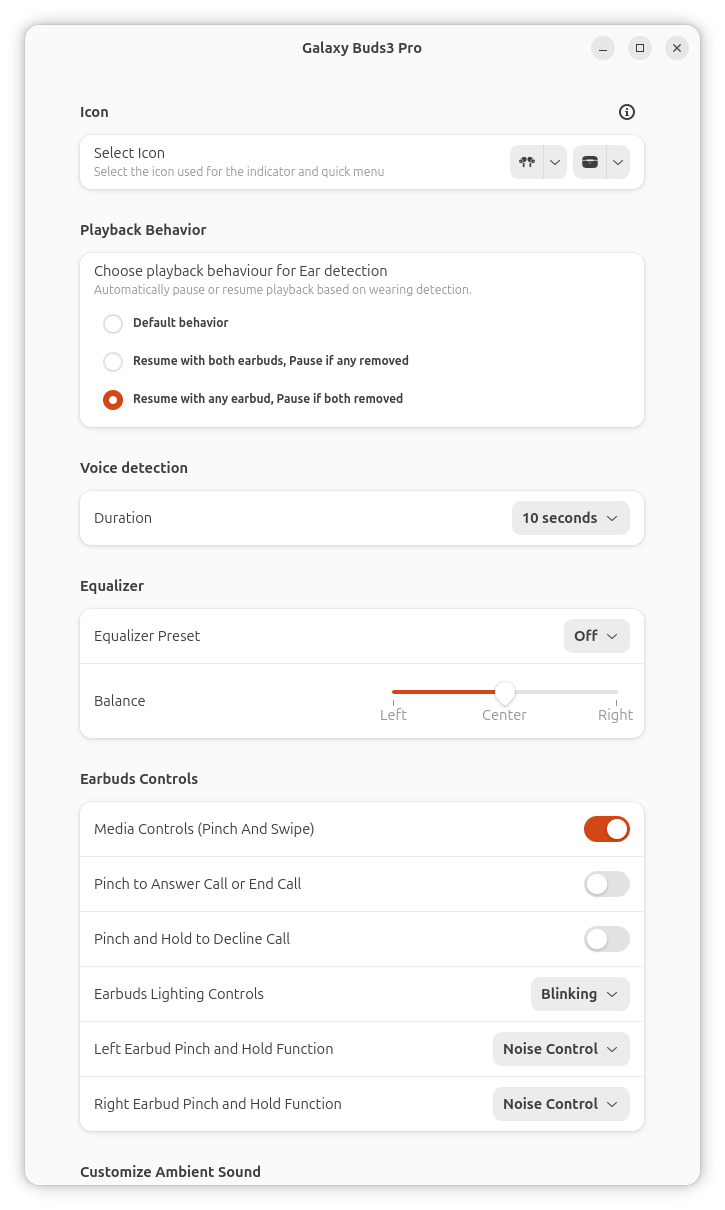
Configure per device settings if supported
Icon selection
Device icons: Select from the available options for your headset type (single-battery or dual-battery devices).
Case icon: For models that report a case battery, an additional case icon can be selected.
Pause when device is not worn
When enabled, media playback automatically pauses when the earbuds are removed and resumes based on the selected behavior:
Default behavior: Uses the device’s standard in-ear detection for pausing and resuming.
Resume with both earbuds: Playback resumes only when both earbuds are worn.
Resume with any earbud: Playback resumes as soon as at least one earbud is worn.
Other settings:
Other settings are self explanatory similar to settings available in OEM Mobile App
Compatibility
Currently tested and confirmed working:
Galaxy Buds 4 Pro ✅ — Credits: NormalHuman-Anything
Galaxy Buds Pro ✅ — Credits: NormalHuman-Anything
Galaxy Buds 3 Pro ✅ — Credits: kacpero1530
Galaxy Buds 3 ✅ — Credits: kacpero1530
Galaxy Buds 2 Pro ✅ — Credits: kacpero1530
Galaxy Buds Live (Partially tested) ❌ — Credits: adlr
Galaxy Buds FE (Partially tested) ❌ — Credits: kerembayulgen