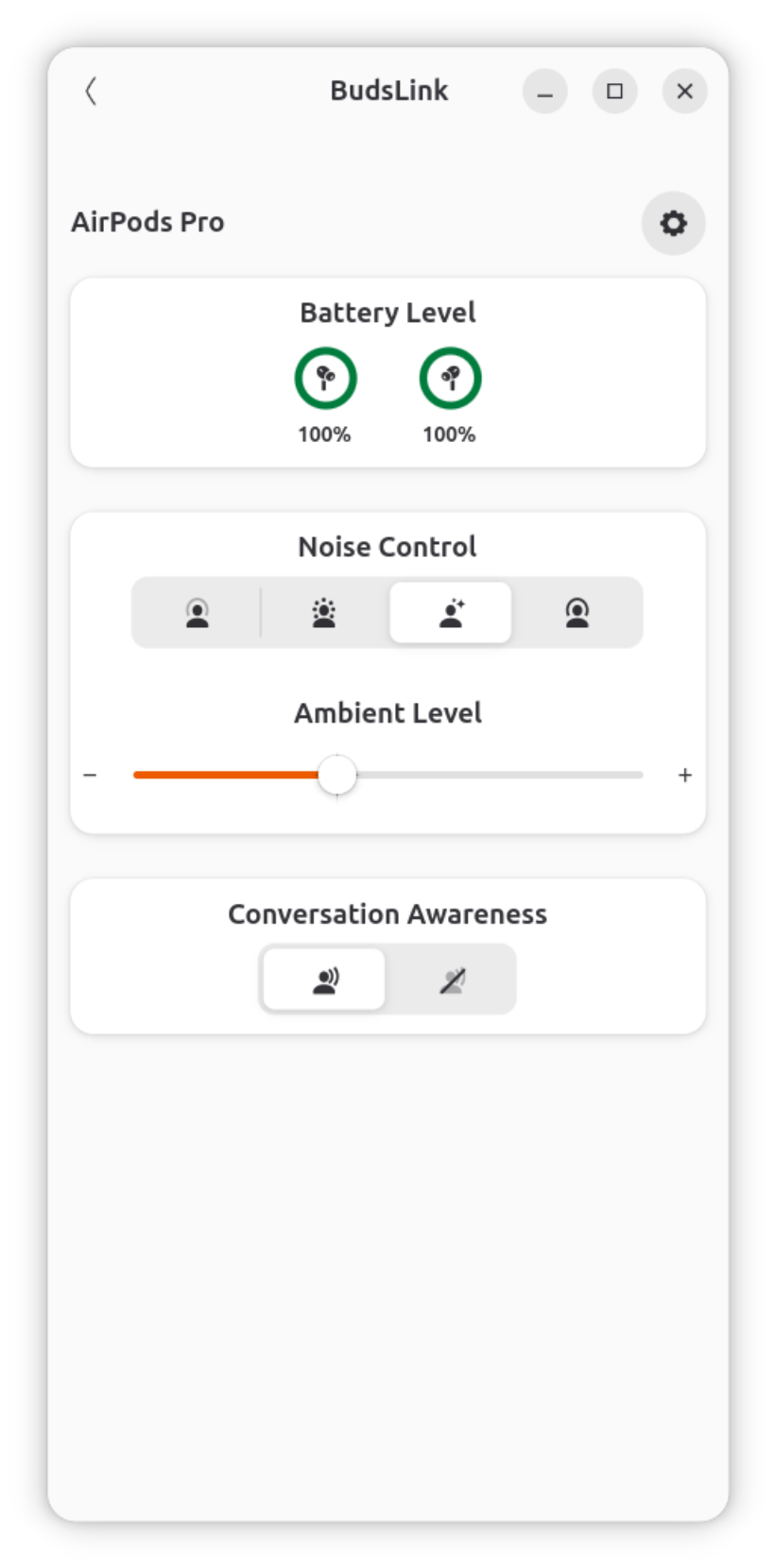
Bluetooth socket for Airpods/Beats protocol can be accessed by only one application at a time. Close other AirPods companion or monitoring apps, such as MagicPods or LibrePods, before using BudsLink.
The case battery is displayed only when the AirPods report it, typically while the case is charging or at least one earbud is inside.
ANC controls are shown only when at least one earbud is worn.
Conversation Awareness controls are shown only when both earbuds are worn.
Feature availability varies by model.
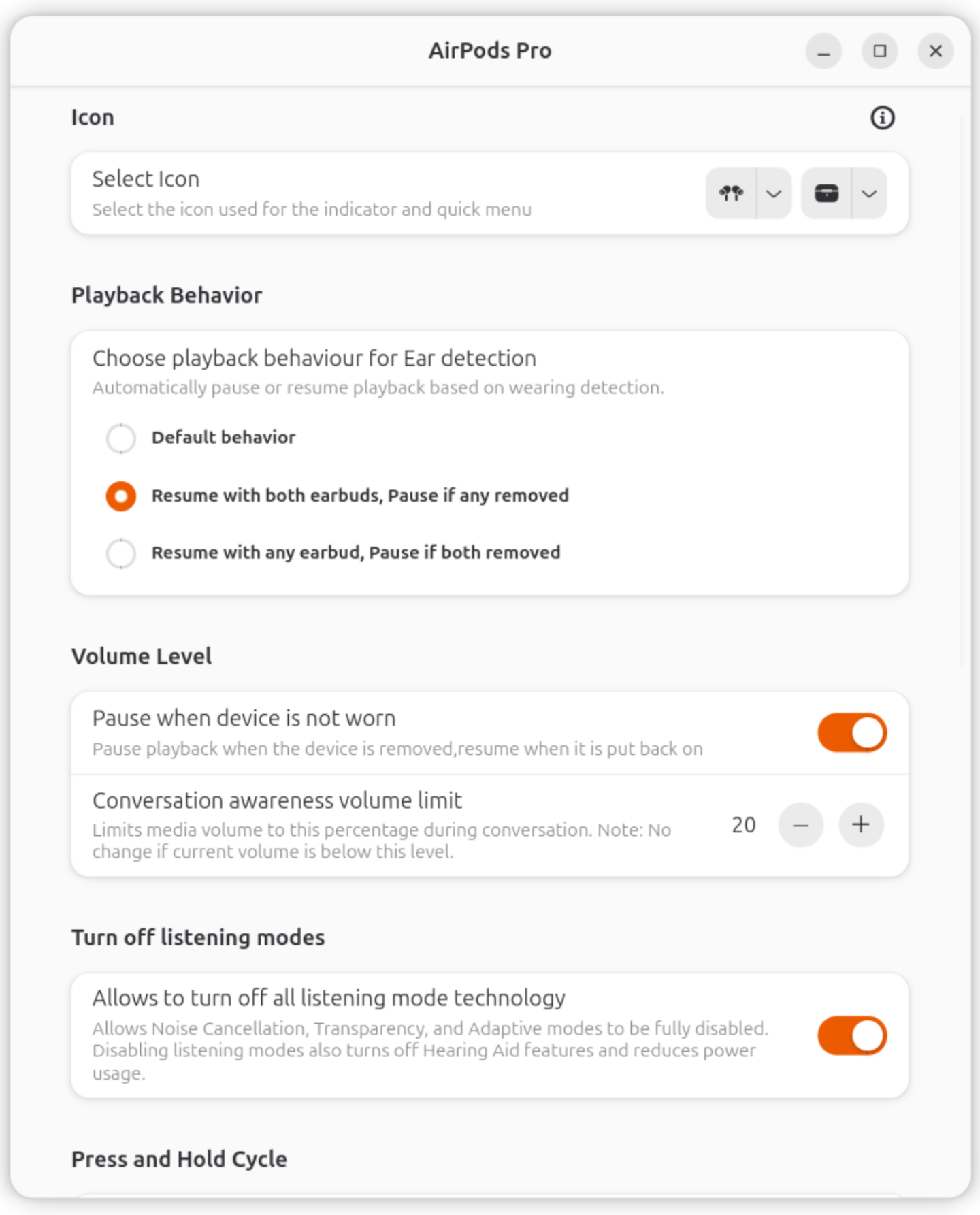
Most settings are self-explanatory and similar to those available on iPhone, iPad, and Mac. Settings specific to BudsLink are explained below.
Icon selection
Device icons: Select from the available options for your headset type (single-battery or dual-battery devices).
Case icon: For models that report a case battery, an additional case icon can be selected.
Pause when device is not worn
When enabled, media playback automatically pauses when the earbuds are removed and resumes based on the selected behavior:
Default behavior: Uses the device’s standard in-ear detection for pausing and resuming.
Resume with both earbuds: Playback resumes only when both earbuds are worn.
Resume with any earbud: Playback resumes as soon as at least one earbud is worn.
Conversation awareness volume Limit
If supported by device, this setting limits media volume during active conversations to enhance awareness of your surroundings and reduce distractions.
When conversation mode is triggered (based on supported device capabilities), the system automatically reduces media volume to a user-defined percentage of the maximum volume.
This helps ensure you can still hear important external sounds while music or other media is playing.
You can set the volume limit to any value between 0 and 50.
Values are interpreted as a percentage of the device’s maximum volume.
Note: If the current playback volume is already below the specified limit, no adjustment will be made.
Compatibility
Help update the compatibility list
If your device is missing from the list or you have additional compatibility information, please help improve the documentation by submitting a pull request to the Documentation branch to update this page, or opening an issue with your device model and details of features you tested.
New Device Configuration
If your device configuration is missing, you can request its addition by opening an issue with screenshots of the OEM app and the output of bluetoothctl info <device-MAC> Alternatively, submit a pull request to the main branch with the new device configuration after successful test.
Currently tested and confirmed working:
AirPods 1st Gen ✅ — Credits: Toxblh
AirPods Pro 1st Gen ✅ — Credits: Toxblh, hazzac181