BudsLink Companion
BudsLink Companion
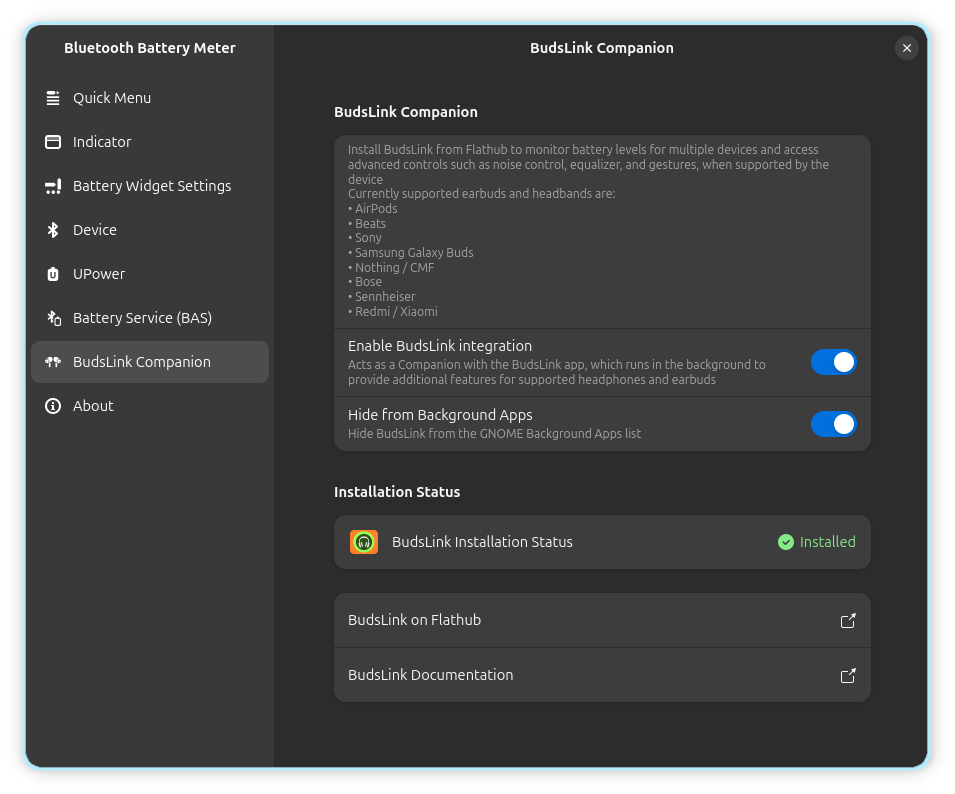
This mode requires the BudsLink Flatpak app to be installed. The app is available on Flathub.

Features of BudsLink App:
- Communicates with devices using L2CAP / RFCOMM / Gatt sockets
- Monitors earbuds battery levels
- Monitors charging case battery level when reported by the device
- Controls Active Noise Cancellation (ANC) and Ambient Sound modes when supported
- Supports Conversation Awareness when supported
- Provides a Configure window with additional device controls such as stem controls and long-press gesture configuration when supported
- Option to automatically reduce volume on supported devices when Conversation Awareness is active
- Option to pause and play media using in-ear detection
- Ability to change device icons
- Ability to override system dark mode
- Ability to override system accent colors
Features of Bluetooth Battery Meter with Budslink-Companion Enabled
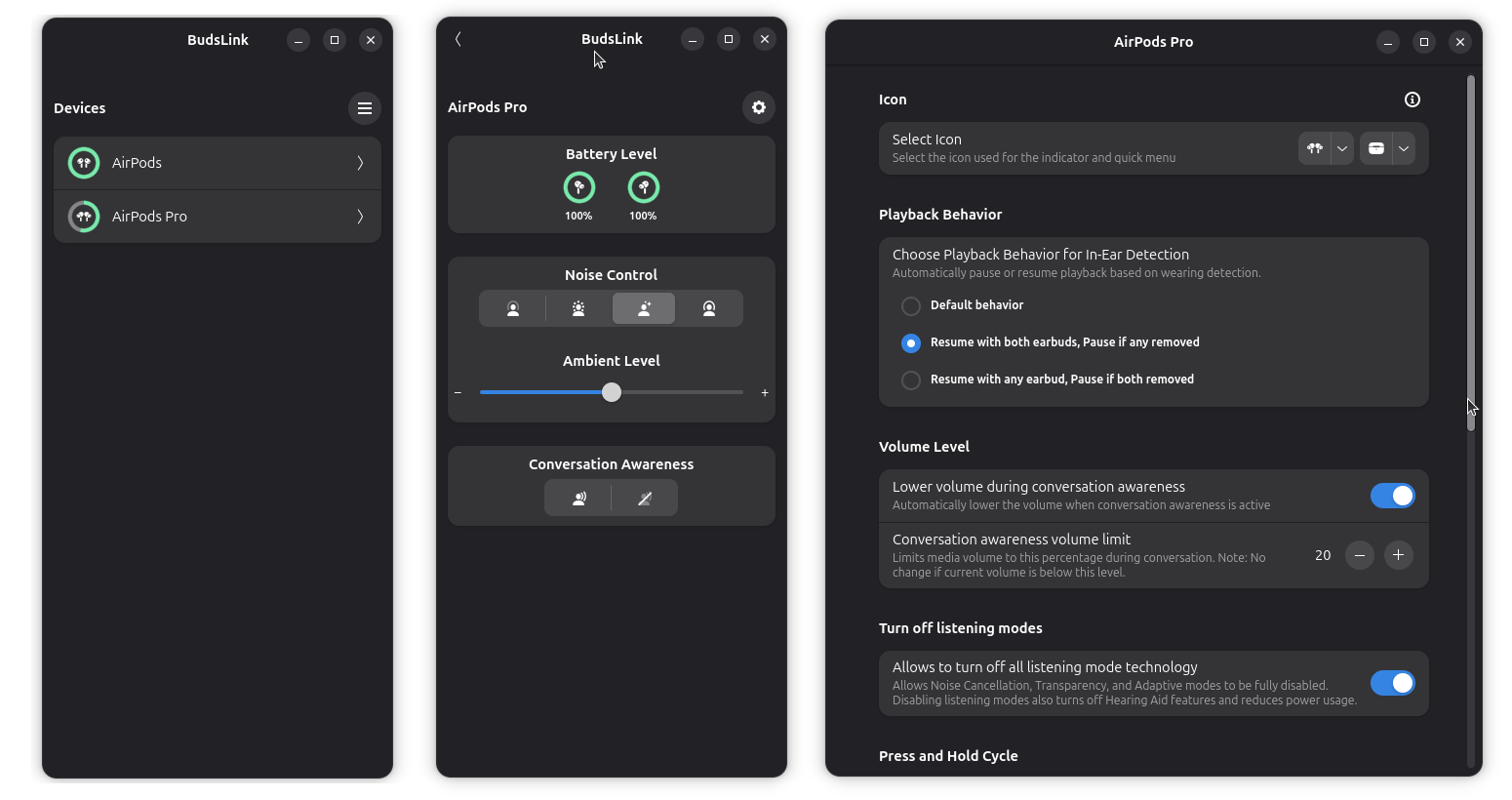
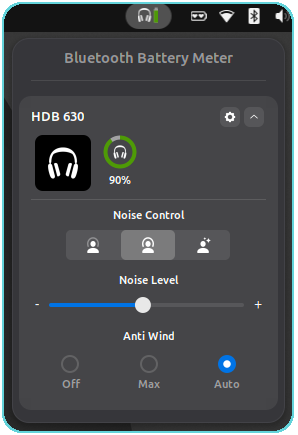
With the BudsLink App installed, features such as Noise Control / Modes can be monitored and controlled for supported devices such as:
- Airpods / Beats
- Sony
- Samsung Galaxy Buds
- Nothing / CMF
- Bose
- Redmi / Xiaomi
- Sennheiser
- Edifier
- Not all models are supported yet. Adding support for a new model requires adding a configuration.
- Create an issue on BudsLink with the output of bluetoothctl info and a screenshot of the OEM app to request a configuration.
- Alternatively, you can add the configuration yourself and submit a pull request.
- BudsLink Sources
Features include:
- Launches the BudsLink app in the background
- Displays battery level in the system tray in Indicator Mode
- Displays battery level in the Panel Button in Panel Button Mode
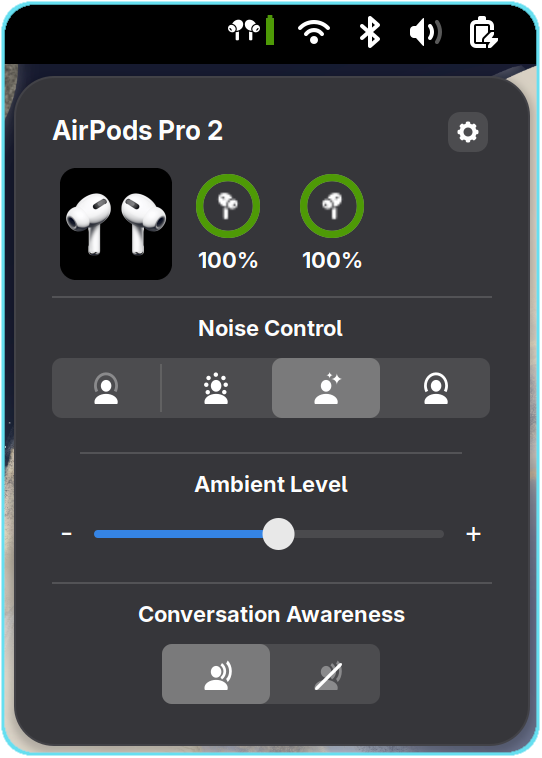
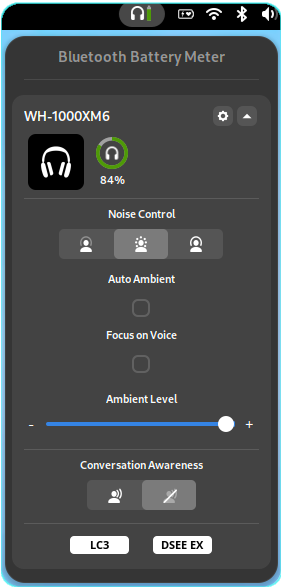
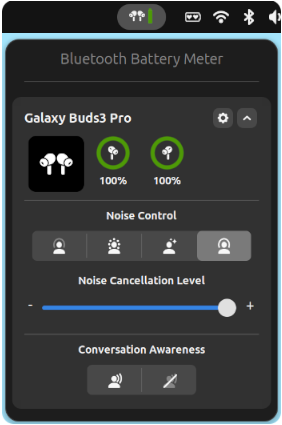
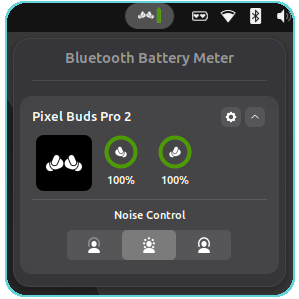
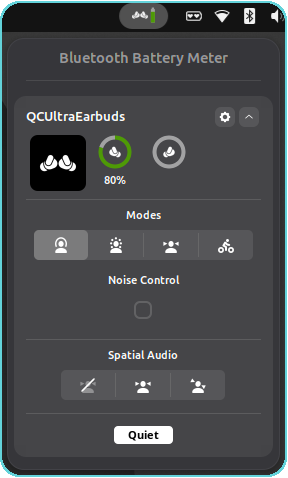
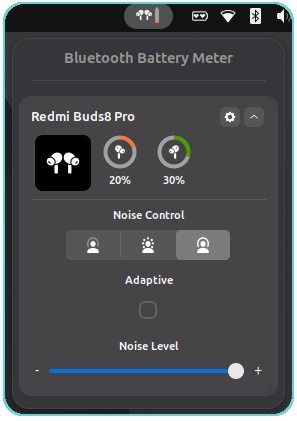
- Contains a Popup Menu that displays multiple battery levels using circular widgets (rings), provides Noise Control controls, and includes a settings button that launches BudsLink device preferences for additional feature controls such as equalizer, gestures, Find My Buds, and other features supported by the device.
- The Popup Menu is displayed in the Bluetooth Quick Settings menu and/or can be launched from the Panel Button or by hovering over the indicator, depending on how Bluetooth Battery Meter is configured for other BlueZ devices.
Enable Budslink Companion

- When enabled, the BudsLink app serves as a backend
- The extension will detect when a compatible device is connected and launch BudsLink in the background
- When the device is disconnected, the extension will close the BudsLink app after a set period of time.
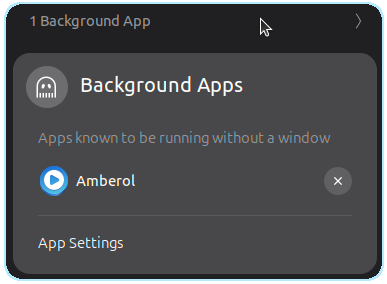
Hide from Background Apps

GNOME Shell has a feature called Background Apps that displays apps running in the background in Quick Settings. When a compatible device is connected, the extension automatically launches BudsLink in the background. Since BudsLink continues running in the background without an open window, it will appear in the Background Apps list.
When this setting is enabled, BudsLink will be removed from Background Apps, even though it continues to run in the background without any window.
Disabled
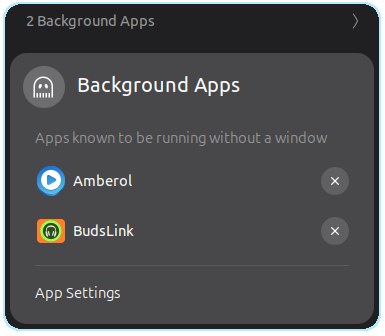
Enabled
Popup menu
AirPods
Sony
Samsung
Nothing / CMF
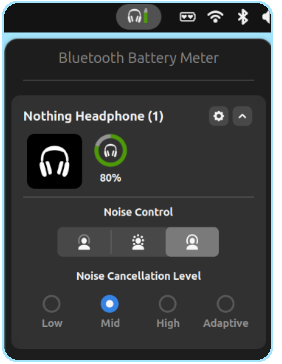
Pixel Buds
Bose
Redmi / Xiaomi
Sennheiser